










You cannot use the ticketless service in the following cases.
- For Fu Net reservations,if you haven’t made a credit card payment in advance.When making a reservation,
- if you are using a discount that requires confirmation at the counter.For those boarding with a vehicle,if you have not completed the prior registration of your vehicle inspection certificate.
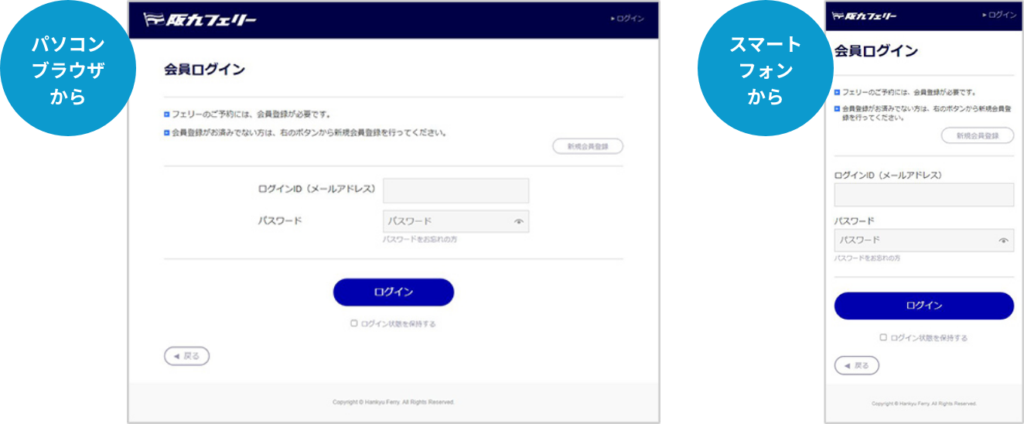
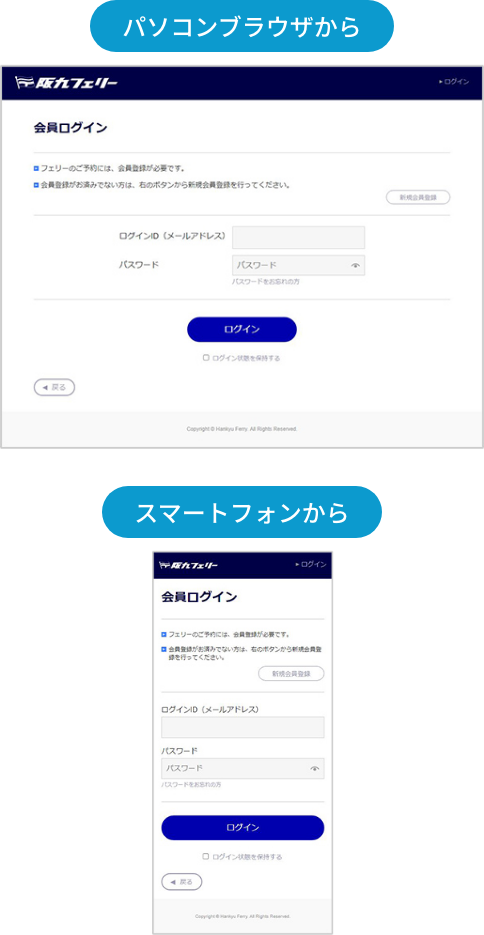
- \ First, register as a “Fu Net member” /Register as a member here*If you are already a member,
log in to the Fu Net member page
Log in to the Fu Net member page
Prior registration of vehicle inspection certificateis required on My Page.
(You can register even after making a reservation.) For details on prior registration, please check below.
If you are not using a vehicle, please proceed to make a boarding reservation.

You can register your vehicle inspection certificate from here

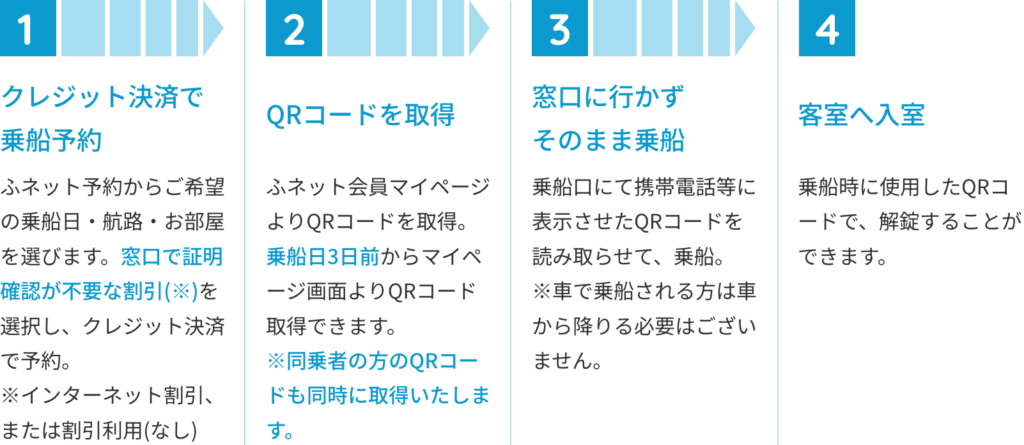
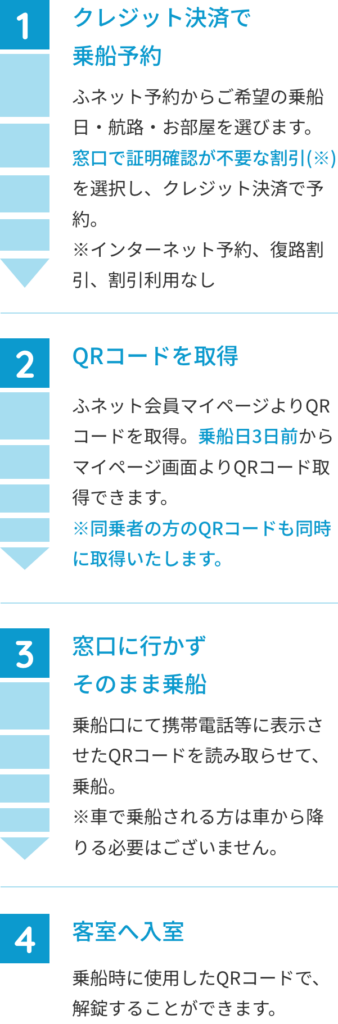
From reservation to boardingAfter arrival, disembark directlyNo need to scan the QR code.
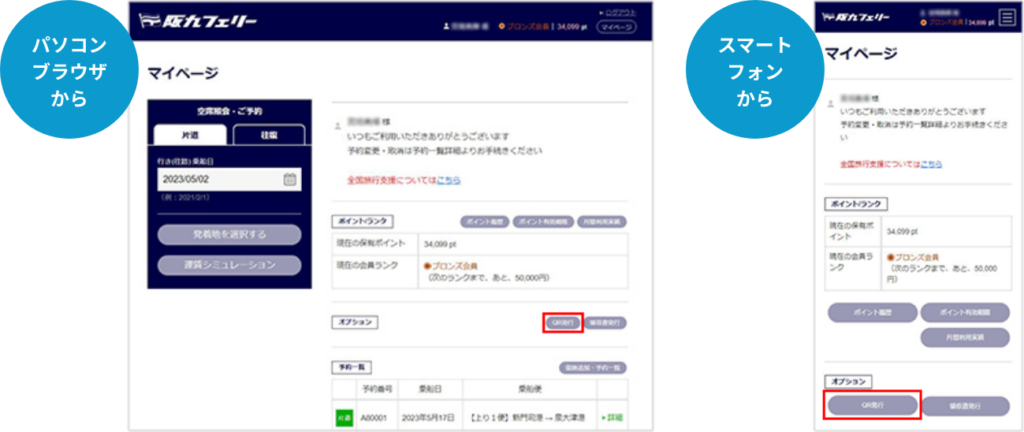
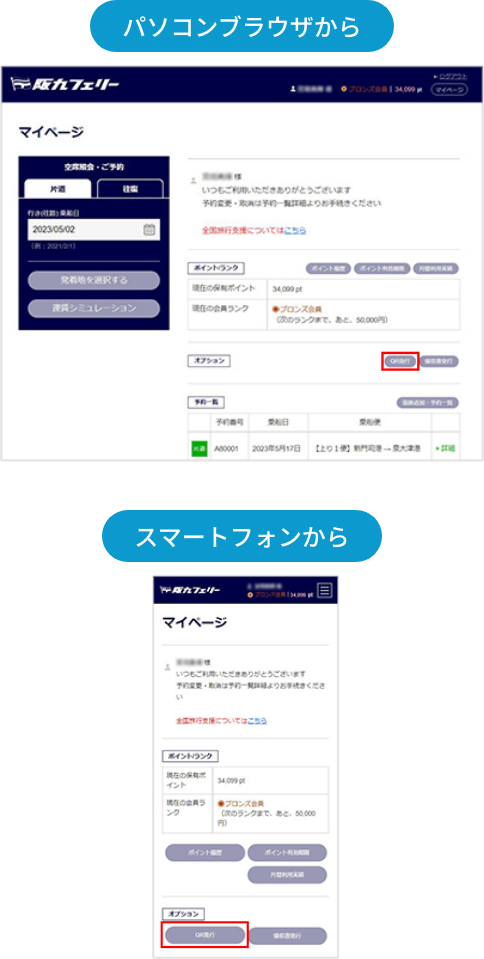
How to obtain the QR code
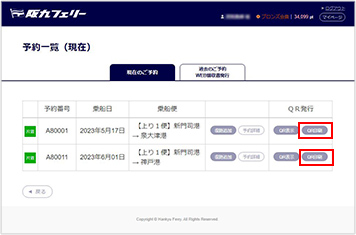
On the My Page TOP screen,
click the “QR Issuance” button
For electronic retrieval,
tap the “
Display
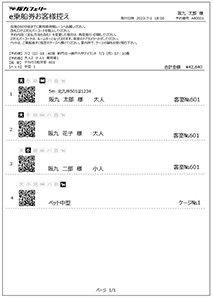
” of the service you are using to obtain the QR code.When boarding, please access My Page and show the displayed image or a screenshot to the staff.*It is recommended to save the image as a screenshot.For printed retrieval,tap the “
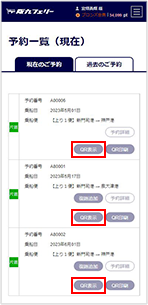
” of the service you are using to obtain the QR code.Please print the displayed screen in advance and bring it with you.When boarding, please present it to the staff.


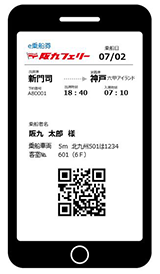
*If printed in a format other than the specified one, it may not be readable, so please be careful.*The QR code is a registered trademark of Denso Wave Incorporated.
About issuing receipts
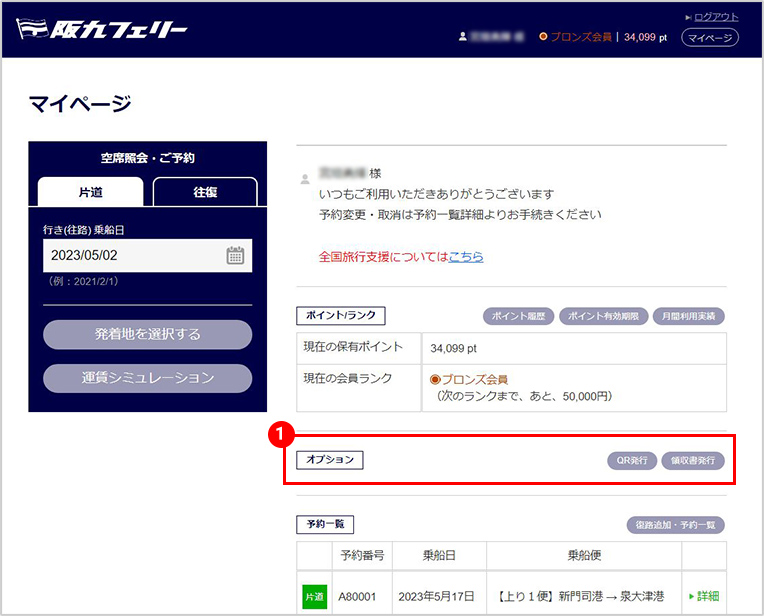
For those using ticketless boarding, you can display and print your receipt on My Page from the arrival time of the service you boarded.Receipts can be issued until 23:59 one year after boarding.Fu Net member page TOP screen
①Click the receipt issuance button. You will be redirected to the past reservation list screen.
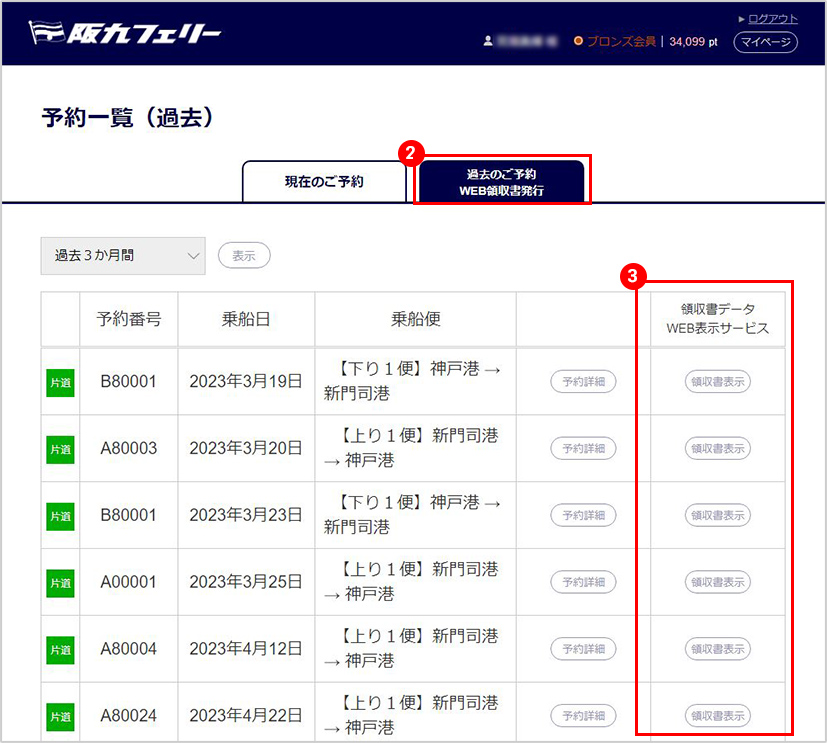
Past reservation list screen
②
Click the 【WEB Receipt Issuance】 tab
③
From the past reservation list, select the service for which you need a receipt. Only services that can be displayed will have the 【Display】 button available.
Receipt issuance
*If a receipt has been issued at the counter, it will not be displayed on the web. You will be redirected to the reservation list screen.
Issuance precautions*You cannot issue a receipt with a blank name.
*One receipt will be issued per reservation. It cannot be issued in parts or with a different amount.
*The receipt amount will show the boarding fee paid online, with a breakdown of the card payment amount and points. If there were any changes or partial cancellations at the boarding counter on the day of boarding, please request a receipt issuance at the counter.【WEB領収書発行】タブをクリック
③過去予約一覧リストより 領収書が必要な便を選択。表示可能な便のみ【表示】ボタンが選択できます。
領収書発行
※窓口で領収書が発行されている場合は、WEB上で領収書は表示されません。予約一覧画面に遷移します。
発行時の注意事項
※宛名を空白のまま、発行することはできません。
※領収書は、ご予約1件につき1枚とさせていただきます。分割・額面を変更して発行することはできかねます。
※領収書金額は、インターネットでの乗船額が表示され、内訳としてカ-ド決済額、ポイントが表示されます。ご乗船当日、乗り場窓口で変更・一部取消があった場合は、窓口で領収書発行をお申し出ください。