



Benefits of Pre-registering Your Vehicle Inspection Certificate
By pre-registering, you won’t need to present your vehicle inspection certificate at the counter when boarding.
Please register your vehicle inspection certificate in advance on the ‘fu-net reservation My Page.’
If you have already made a reservation and the reservation details (license plate, vehicle length) do not match the registered vehicle inspection certificate, a QR code will not be issued,so please either reselect from ‘Change Reservation – Change Passenger List’ or come to the counter.

Pre-registration Eligible Vehicles: Passenger Cars
Passenger cars and motorcycles over 251cc
* Motorcycles under 250cc do not require vehicle inspection certificate registration.

Until approval is complete
It usually takes about 3 to 4 business days from the day after registration. Please register early.
Guide to Pre-registering Your Vehicle Inspection Certificate
STEP 1
Log in to the fu-net member page
* If you haven’t registered as a member yet,please complete new member registration.Thank you.
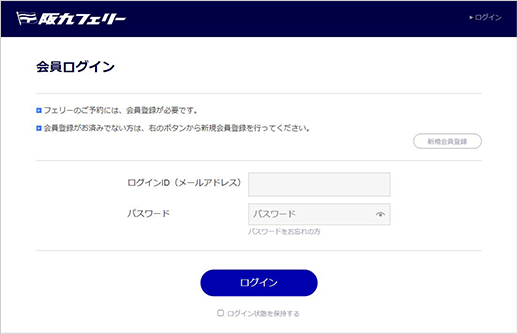
STEP 2
After logging in, click on ‘Vehicle Information’ in your member information on My Page
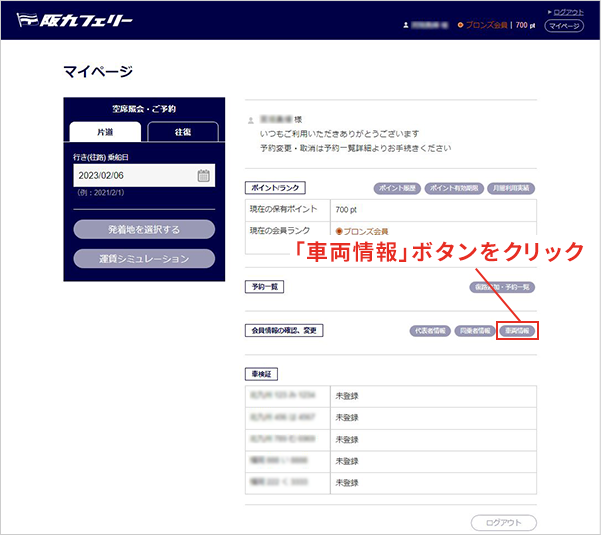
* For smartphone users, the ‘Vehicle Information Button’ is located at the bottom of the screen. Please scroll down.
STEP 3
Click the ‘Add/Edit’ button below the list of passenger car (or motorcycle) information
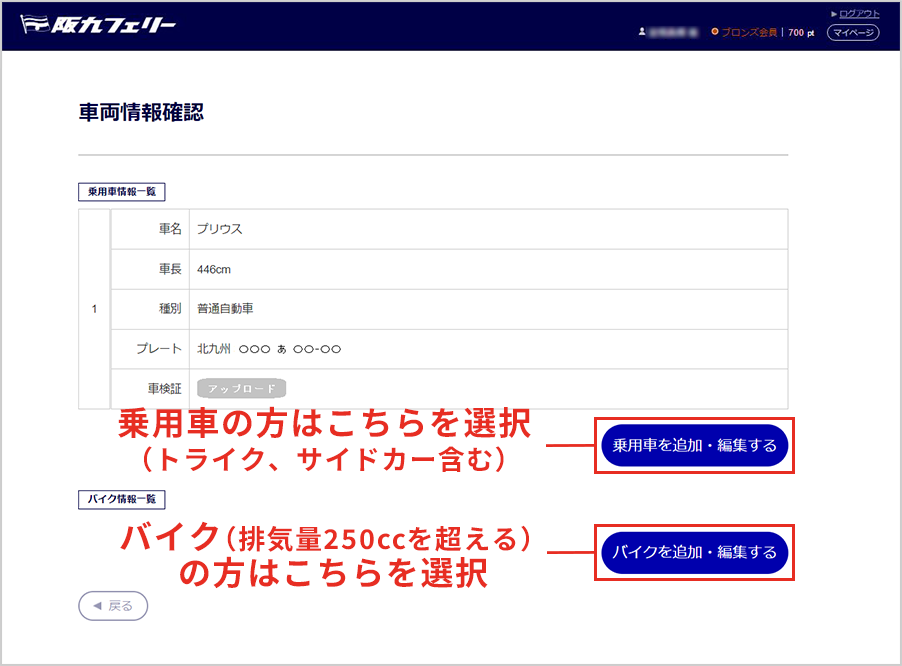
STEP 4
Take a photo of your vehicle inspection certificate and click the ‘Upload’ button
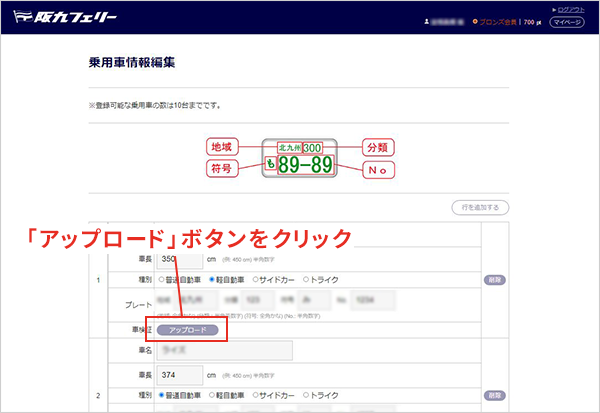
STEP 5
The upload terms will be displayed, so check ‘Agree’
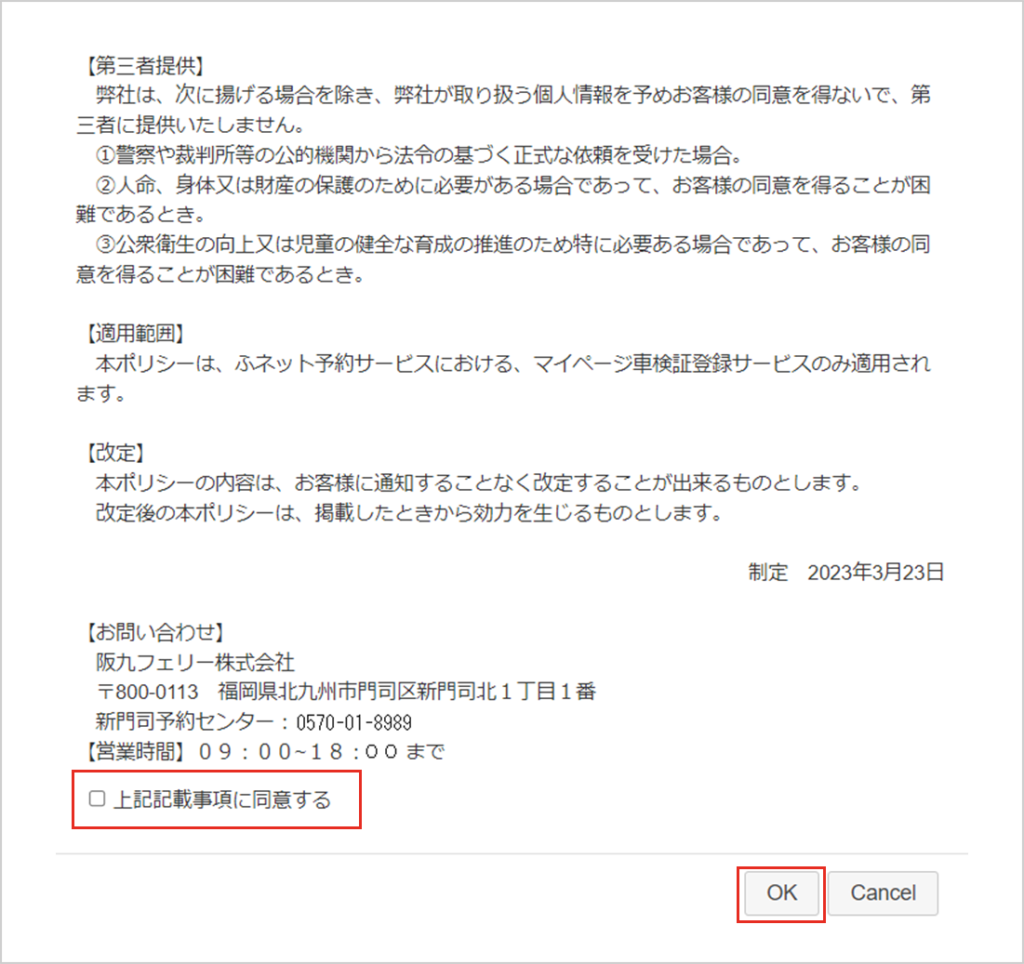
After agreeing, PC users will see the STEP 6 PC screen, while smartphone users will see the STEP 6 smartphone screen.
STEP 6
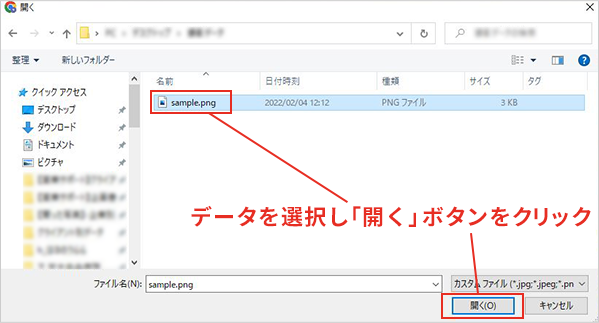
A file will open automatically, so select the data of the photographed vehicle inspection certificate
PC Screen
Smartphone Screen
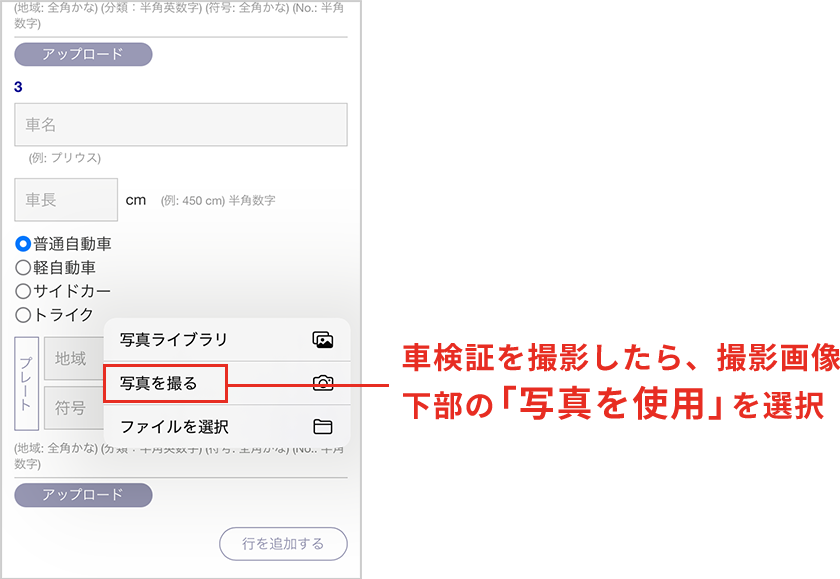
– You can only upload data in ‘jpeg’ or ‘png’ format.
Other formats cannot be used. The maximum image size is 5MB.
– Please ensure the uploaded image is a photo of the ‘entire vehicle inspection certificate.’
Images of the vehicle or license plate are not needed.
STEP 7
You will automatically return to the passenger car information editing screen, so please proceed to STEP 8 (no messages will be displayed).
STEP 8
Fill in the required information and click the ‘Register’ button
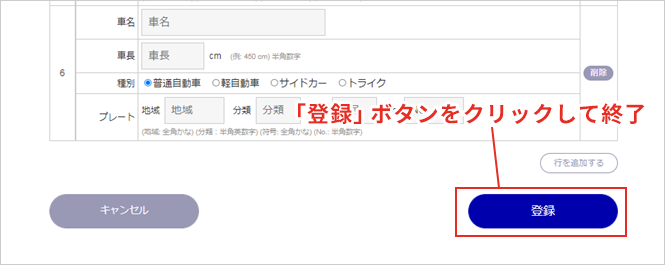
STEP 9
Notification of Registration Completion
You will be notified by email 3 to 4 business days later. You can also check it from My Page afterward.
If the registration could not be approved, we will send you an email stating the reason for the rejection, so please make corrections and register again.
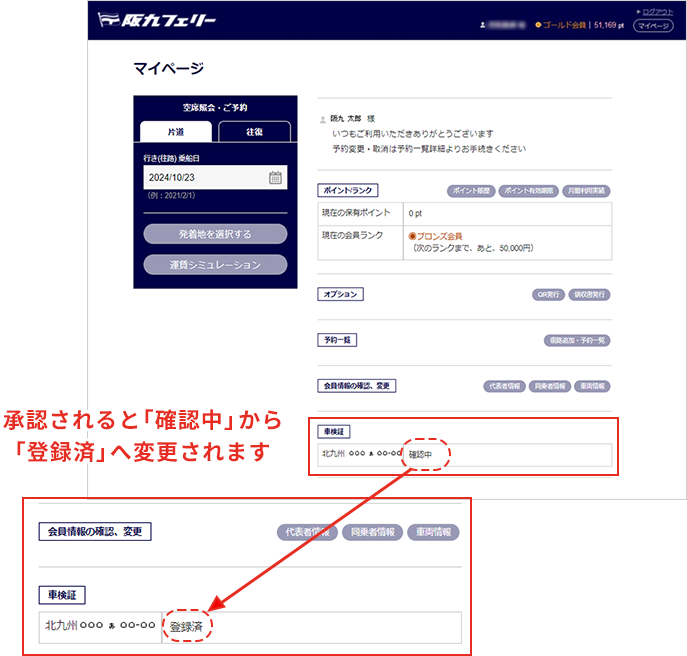
STEP 10
Once registration approval is complete, you will not need to present your vehicle inspection certificate
- fu-net members click herePre-register your vehicle inspection certificate
- If you haven’t registered as a fu-net member, click hereRegister as a new member
Contact information for inquiries about pre-registering your vehicle inspection certificate
- * Calls to this number are recorded for quality assurance purposes.
- * Phone guidance is provided via a navigation dial.