







You cannot use the ticketless service in the following cases.
- For Fun Net reservations,if you have not completed credit card payment in advance.If you are using a discount that requires confirmation at the counter.
- When making a reservation,if you are using a discount that requires confirmation at the counter.If you are boarding with a vehicle and have not completed the prior registration of the vehicle inspection certificate.
- \ First, register as a “Fun Net Member” /Register here*If you are already a member,
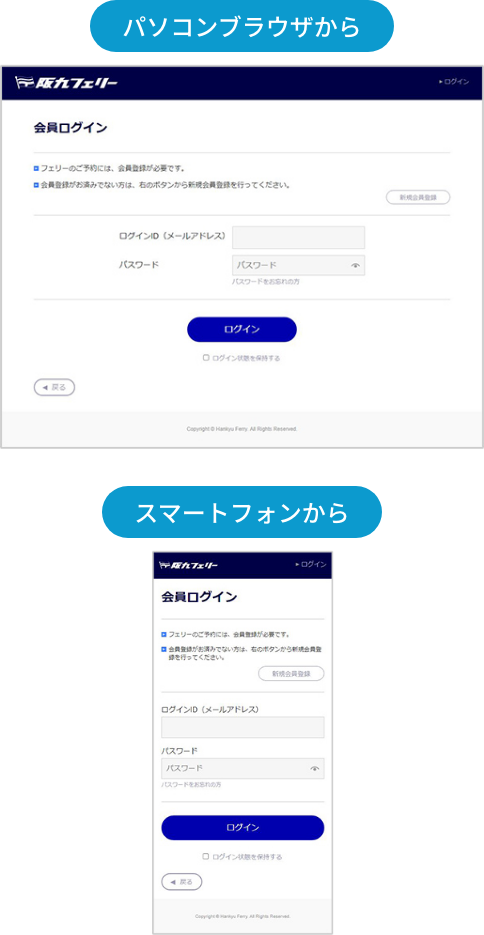
log in to the Fun Net member page
Log in to the Fun Net member page
Prior registration of the vehicle inspection certificateis required on My Page.
(You can register even after making a reservation.) For details on prior registration, please check below.
If you are not using a vehicle, please proceed to make a boarding reservation.
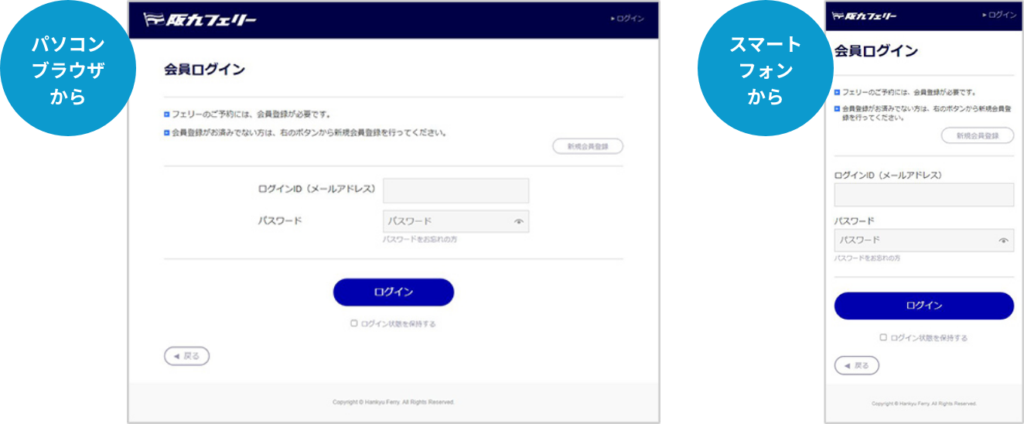

You can register the vehicle inspection certificate here

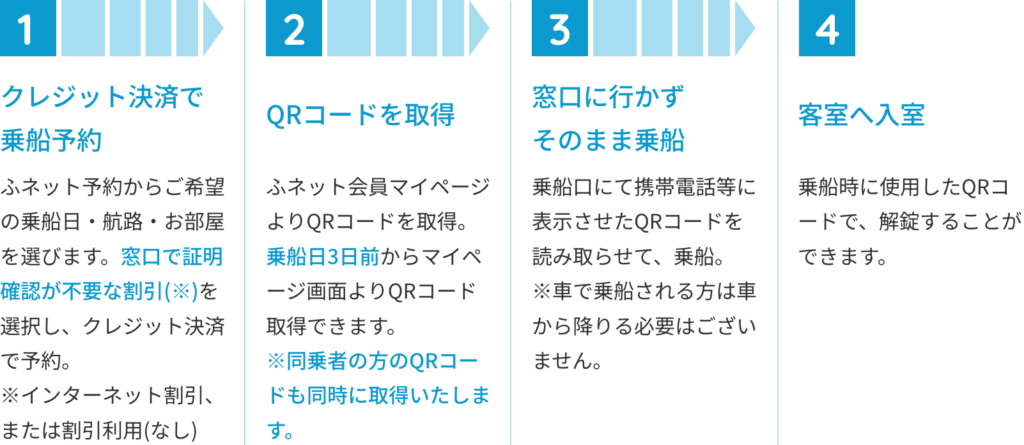
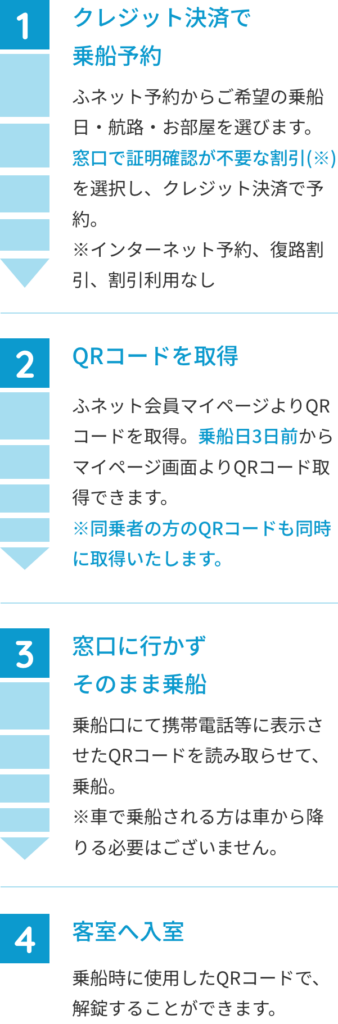
From reservation to boardingAfter arrival, disembark directlyNo need to scan the QR code.
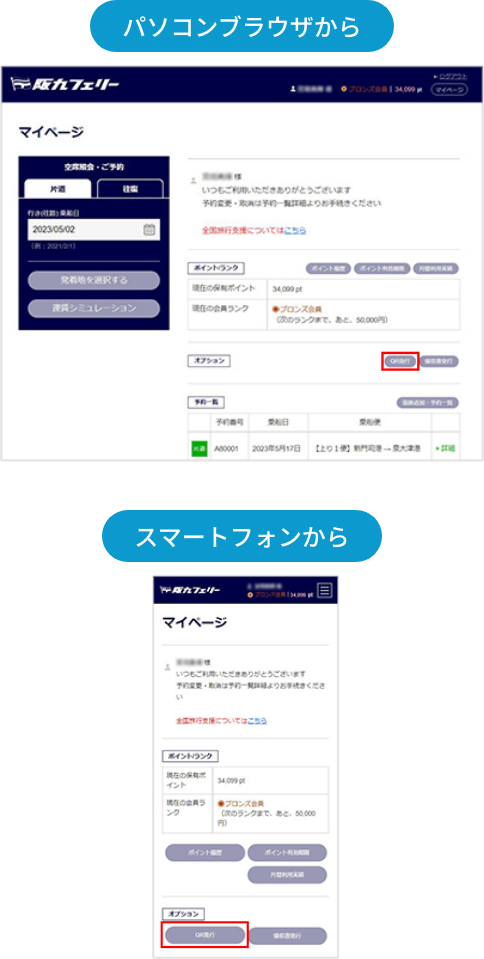
How to obtain the QR code
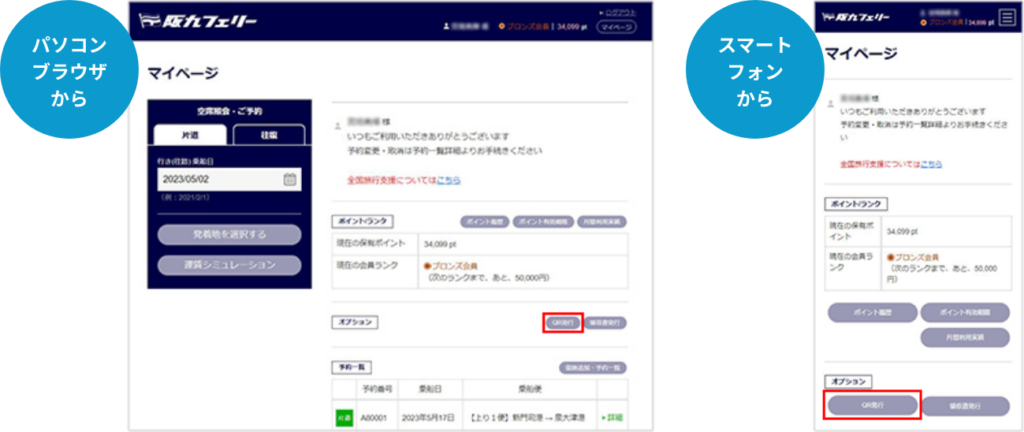
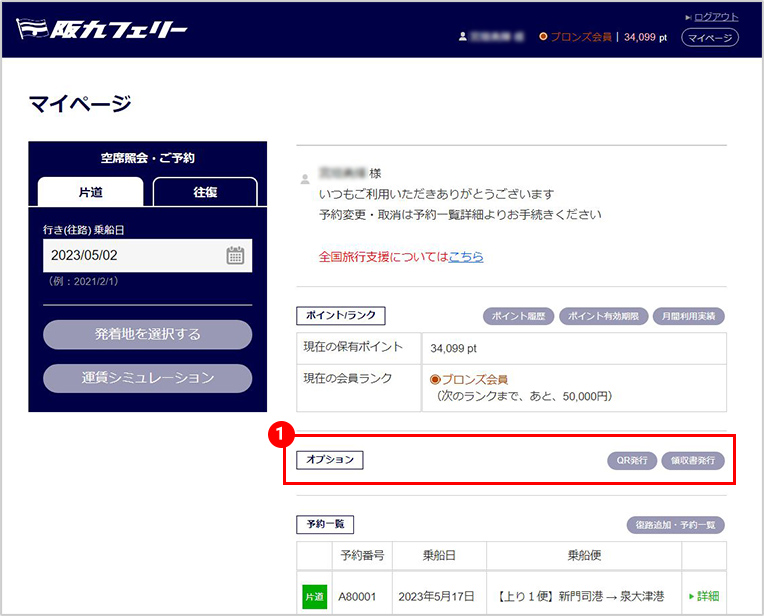
On the My Page TOP screen,
click the “QR Issuance”
button
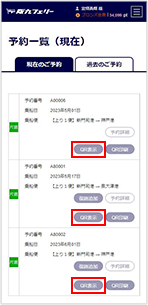
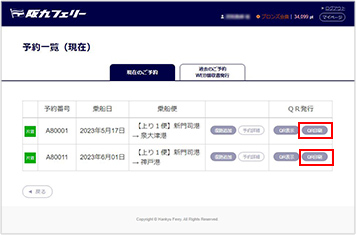
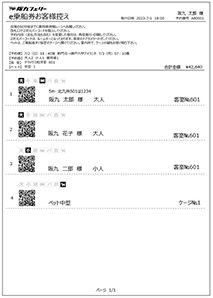
For electronic issuance,
tap the “Display” of the service you are using and obtain the QR code.
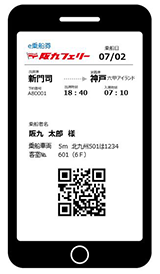
When boarding, please access My Page and present the displayed image or a screenshot to the staff.*It is recommended to save the image as a screenshot.For printed issuance,tap the “Print” of the service you are using and obtain the QR code.Please print the displayed screen in advance and bring it with you.
When boarding, please present it to the staff.
*If printed in a format other than the specified one, it may not be readable, so please be careful.If you have not completed credit card payment in advance for Fun Net reservations.If you are using a discount that requires confirmation at the counter when making a reservation.


If you are boarding with a vehicle and have not completed the prior registration of the vehicle inspection certificate.First, register as a “Fun Net Member”!
*If you are already a member,
log in to the Fun Net member pagePlease proceed to make a boarding reservation if you are not using a vehicle.If you are boarding with a vehicle,
you need to register the vehicle inspection certificate on My Page.(You can register even after making a reservation.) For details on prior registration, please check below.
From reservation to boarding
Click the receipt issuance button. You will be redirected to the past reservation list screen.
*You cannot issue a receipt with a blank name.
*A receipt will be issued for each reservation, and it cannot be issued in parts or with changed amounts.
*The receipt amount will display the boarding amount from the internet, and the breakdown will show the card payment amount and points. If there were any changes or partial cancellations at the counter on the day of boarding, please request a receipt issuance at the counter.
乗船から1年後の23:59まで発行可能です。
ふネット会員ページ TOP画面
①領収書発行ボタンをクリック。過去の予約一覧画面に遷移します。
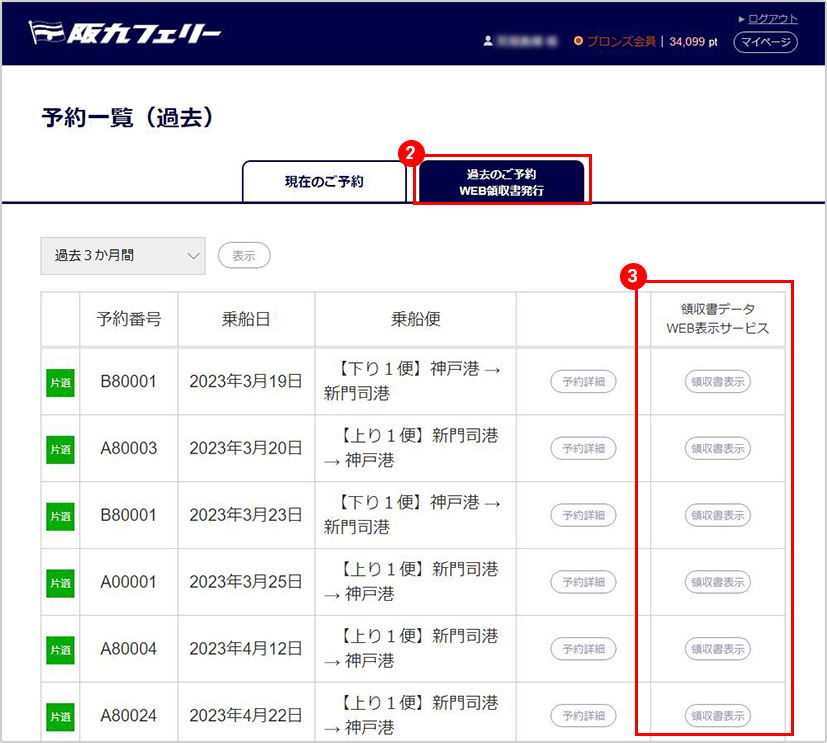
予約一覧(過去)画面
②【WEB領収書発行】タブをクリック
③過去予約一覧リストより 領収書が必要な便を選択。表示可能な便のみ【表示】ボタンが選択できます。
領収書発行
※窓口で領収書が発行されている場合は、WEB上で領収書は表示されません。予約一覧画面に遷移します。
発行時の注意事項
※宛名を空白のまま、発行することはできません。
※領収書は、ご予約1件につき1枚とさせていただきます。分割・額面を変更して発行することはできかねます。
※領収書金額は、インターネットでの乗船額が表示され、内訳としてカ-ド決済額、ポイントが表示されます。ご乗船当日、乗り場窓口で変更・一部取消があった場合は、窓口で領収書発行をお申し出ください。